
Free ephemeris calculator for web, iPhone and Android.
AstroLingo's ephemeris lists where every planet is on each day of the month. It marks retrogrades, stations, and sign changes, and it is free in your browser and in the app.


By AstroLingo Editorial · Updated
Free
No paywall, no account on the web
3 ways
Web, iPhone and iPad, Android
14
Planets, Chiron, Lilith, and Nodes
Swiss
Ephemeris engine, to the arcminute
One ephemeris, three places to open it.
The same monthly table runs on the AstroLingo website and in the iPhone and Android apps. All three are free.
On the web
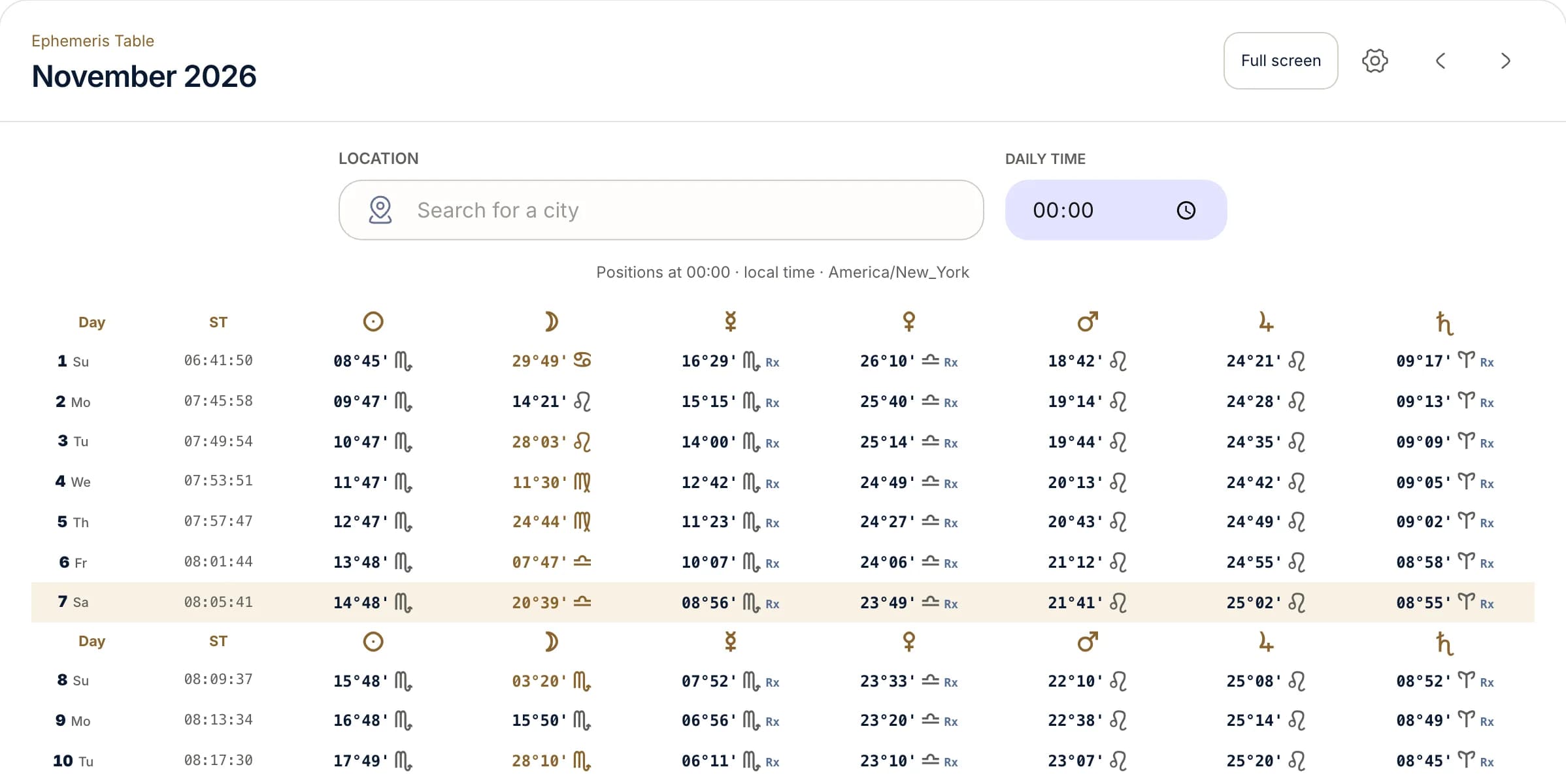
Open the ephemeris table in any browser. Search a city, set the daily time, move between months, choose extra planets, and switch to full screen. No account or birth profile is needed.
Open the web ephemerisOn iPhone and iPad
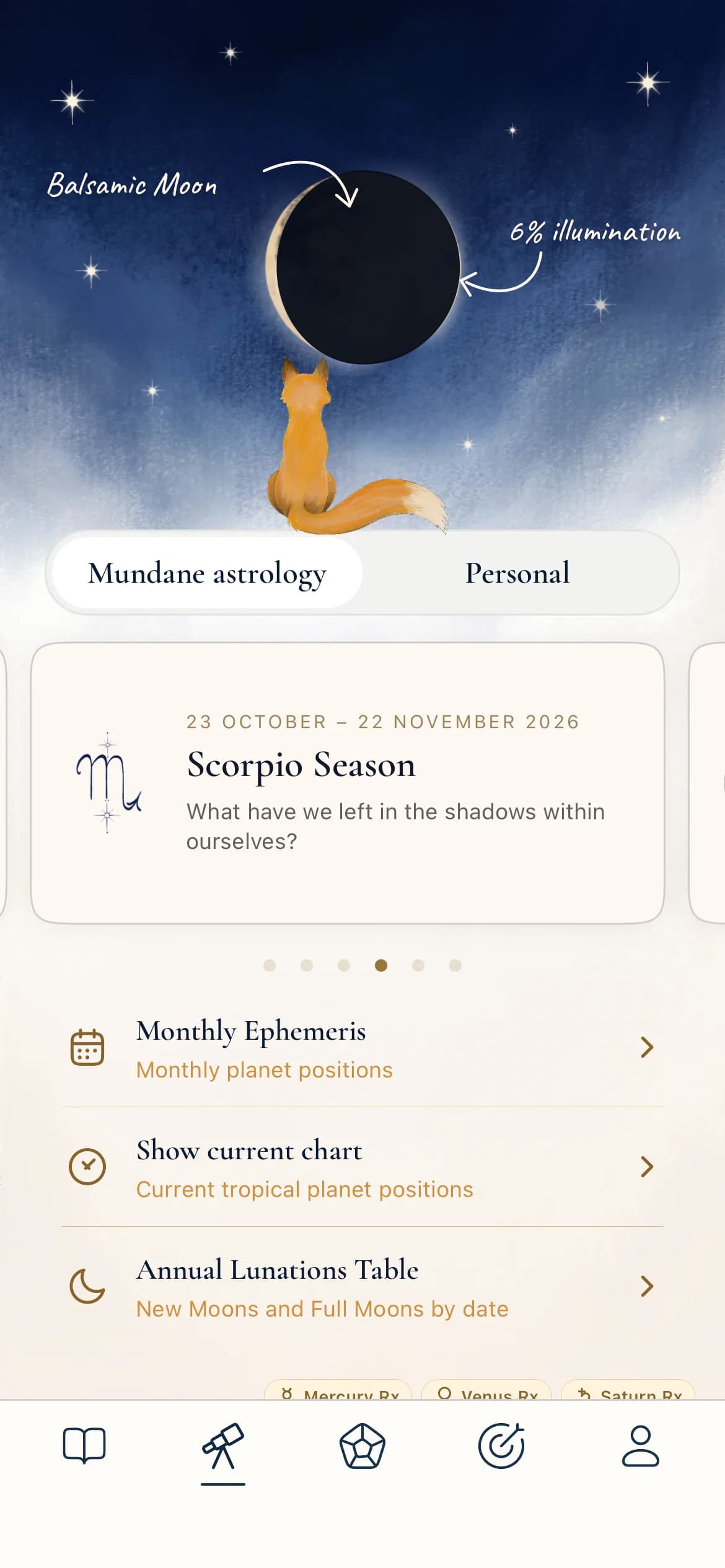
Monthly Ephemeris is in the Explore tab. Swipe sideways for the outer planets. On iPad you can pinch to zoom into the grid, and larger text sizes switch to a list layout.
On Android
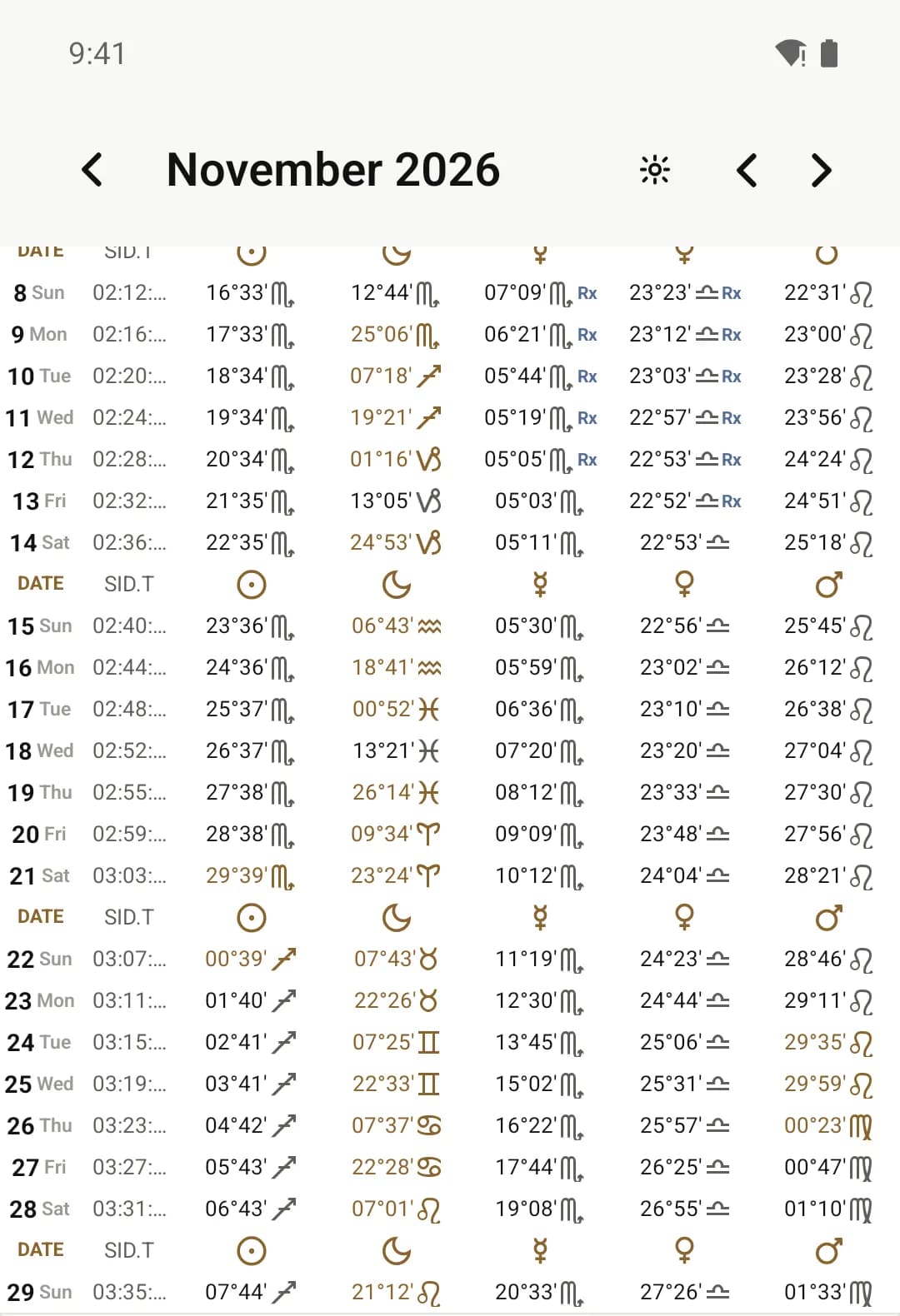
The same Monthly Ephemeris in the Explore tab, with the same planets, markers, and month navigation.
What an ephemeris calculator shows
An ephemeris is a table of where the Sun, Moon, and planets are on each day. Astrologers use it to see when a transit becomes exact, when a planet turns retrograde, and when it changes sign.
How to read one row
This is the November 7, 2026 row from the web table above, calculated for midnight in New York. Each column is one planet. Each cell gives its degree, its minutes of arc, and its sign.
Read down a column to follow one planet through the month. A degree in gold means that planet entered a new sign that day.
| Column | Value | What it means |
|---|---|---|
| Day | 7 Sa | Day of the month and weekday. Today's row is highlighted. |
| ST | 08:05:41 | Sidereal time, the star-based clock you need to work out house cusps by hand. |
| Sun | 14°48′ Sco | 14 degrees 48 minutes of Scorpio. |
| Moon | 20°39′ Lib | The fastest body. It changes sign about every two and a half days. |
| Mercury | 08°56′ Sco Rx | Rx means retrograde: Mercury appears to move backward through Scorpio. |
| Venus | 23°49′ Lib Rx | Venus is retrograde in Libra on the same day. |
| Mars | 21°41′ Leo | Moving forward through Leo. |
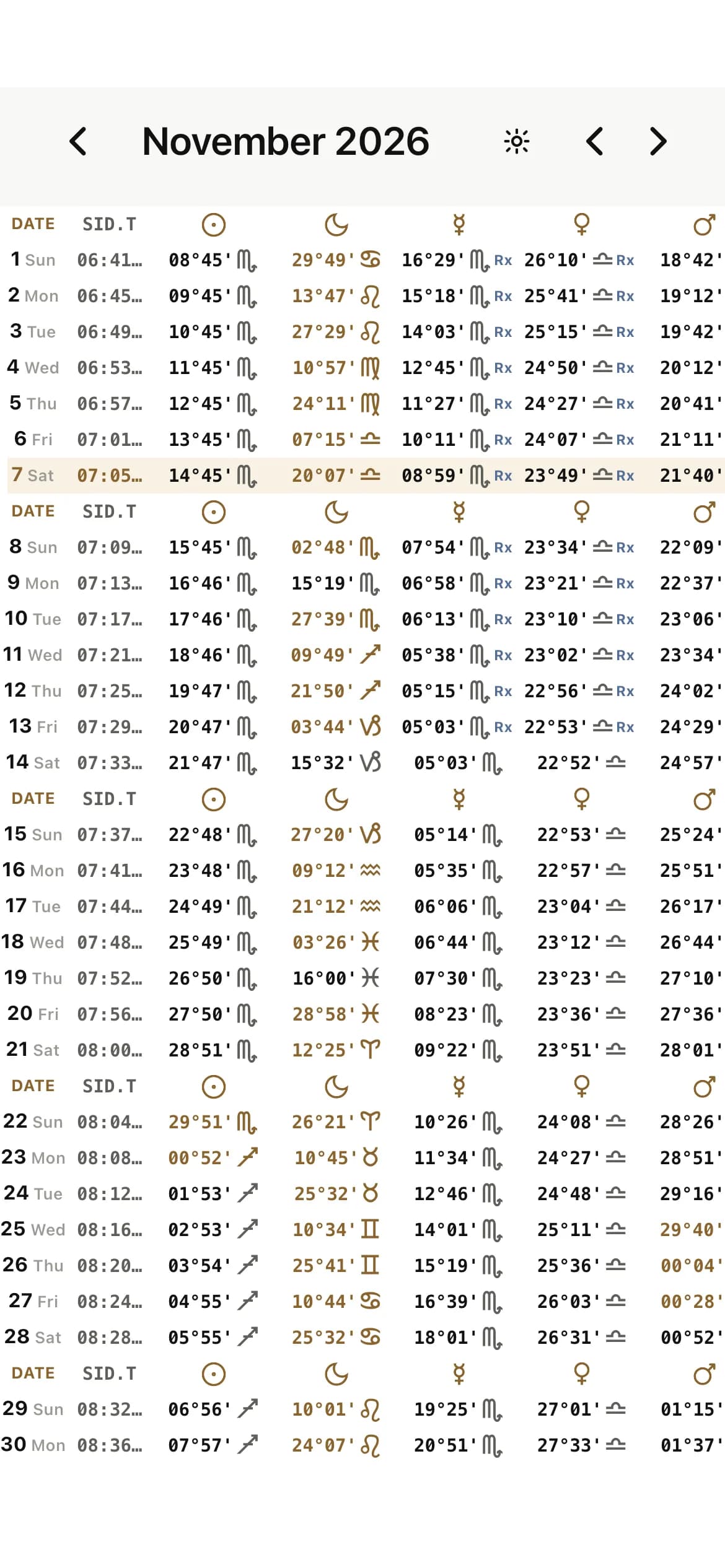
The Monthly Ephemeris on iPhone.
Open the Explore tab and tap Monthly Ephemeris. The table loads for the current month, one row per day.
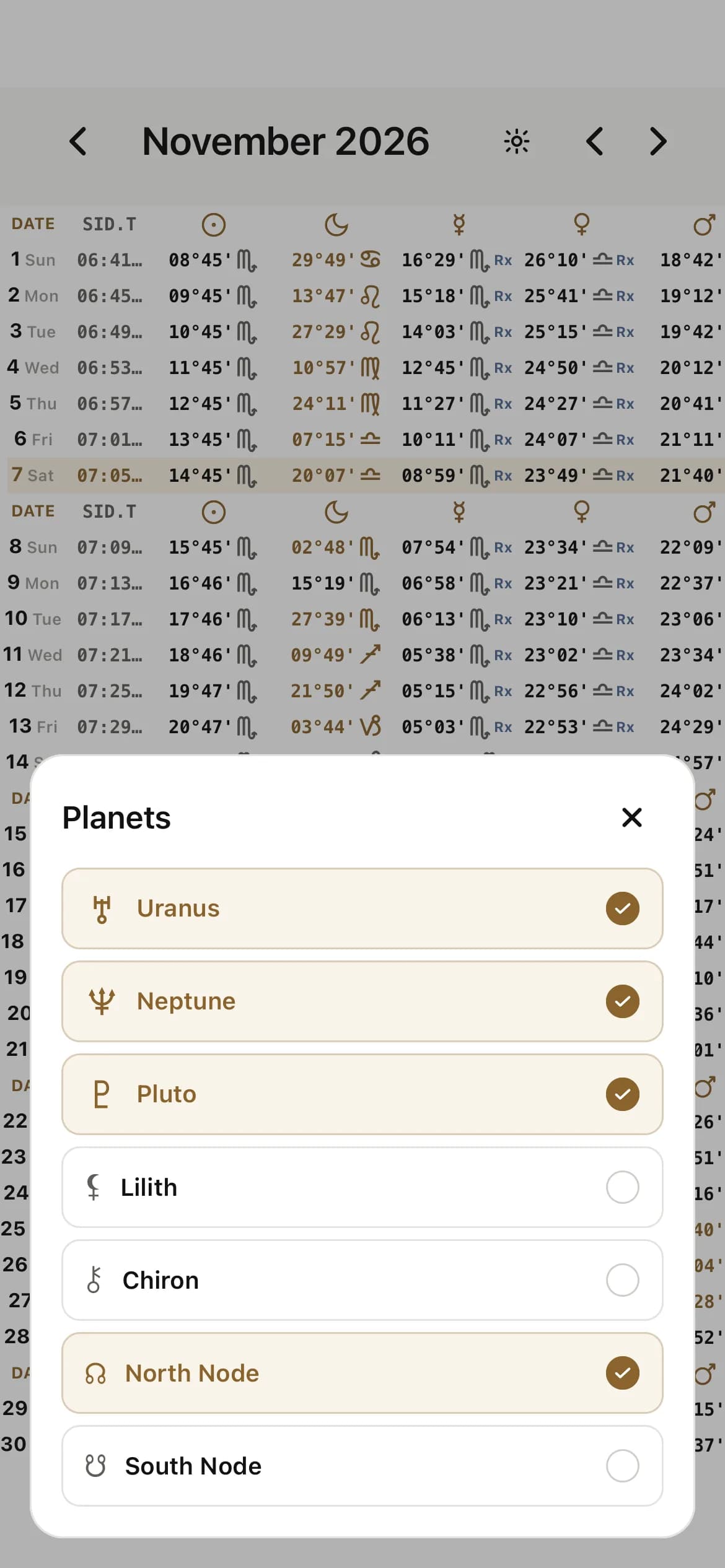
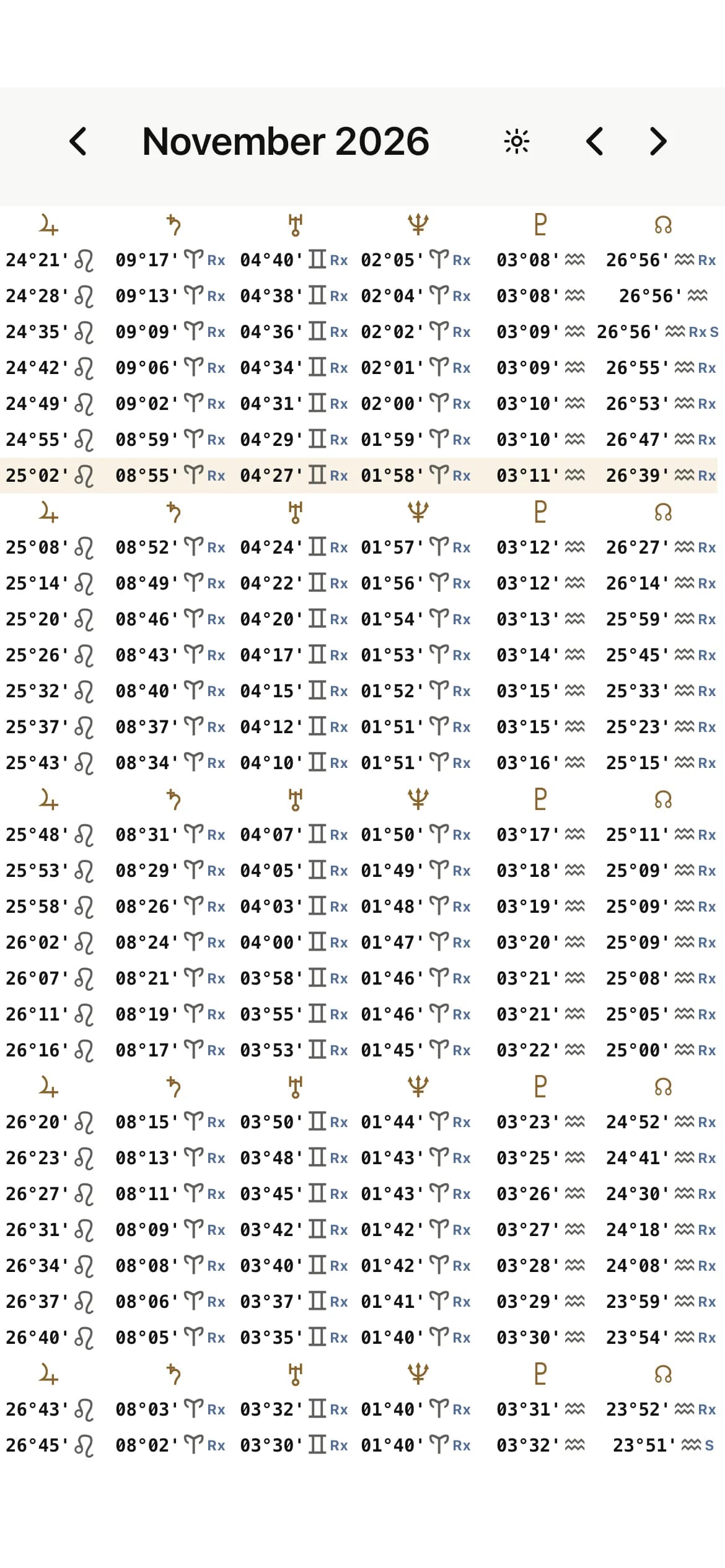
- One row per day for the whole month, with the weekday beside each date
- Sun to Saturn by default, plus Uranus, Neptune, Pluto, Lilith, Chiron, and the true Nodes
- Rx for retrograde and S for a station
- Gold highlighting on the day a planet or the Moon enters a new sign
- A sidereal time column for working out house cusps by hand
- Arrows to move to any earlier or later month
Positions are calculated with the Swiss Ephemeris through FreeAstroAPI, using the tropical zodiac.
The rest of the sky, in AstroLingo.
The ephemeris sits next to other free tools for following the sky and working with charts.
In the app
Current sky chart
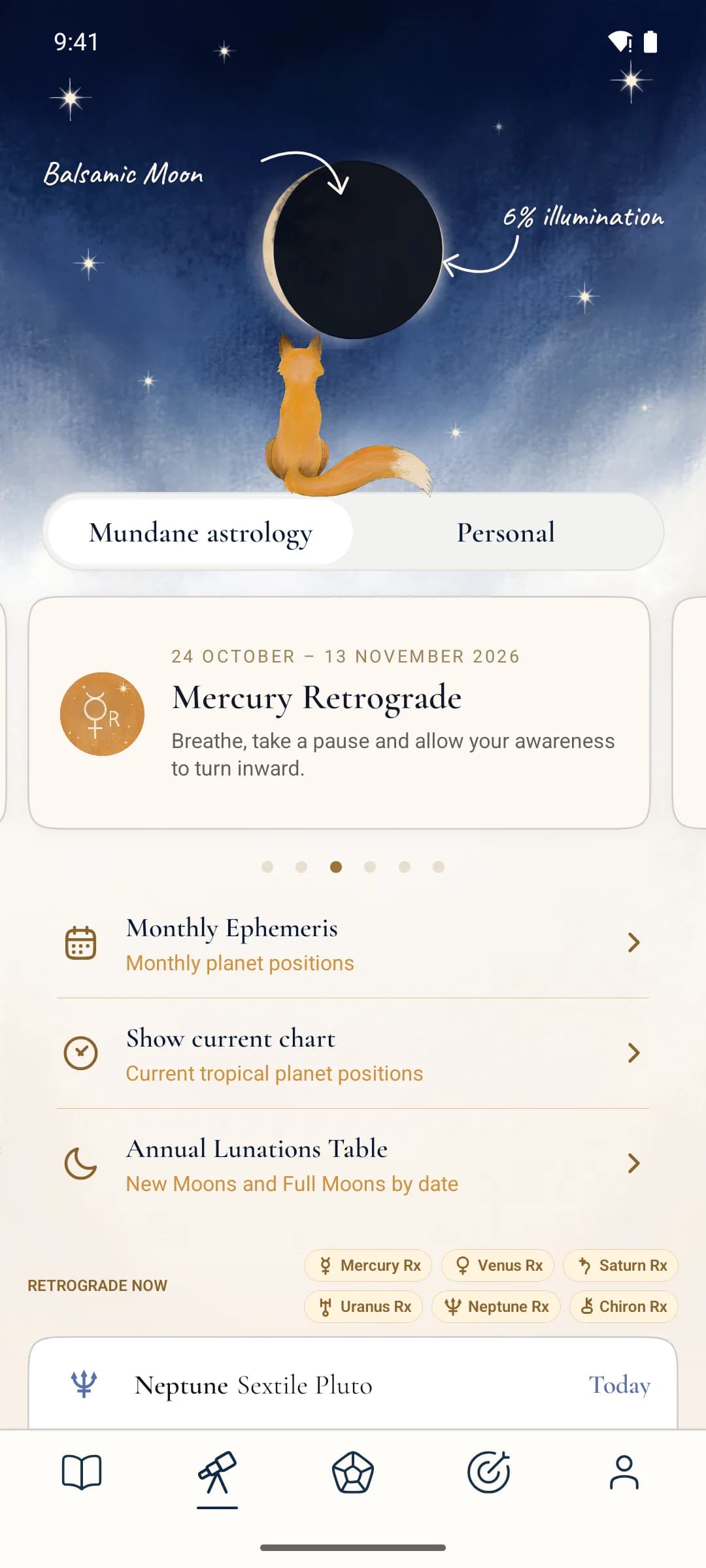
Today's tropical chart for any city. Tap through the days and switch between the wheel and the Planets, Table, and Aspects views.
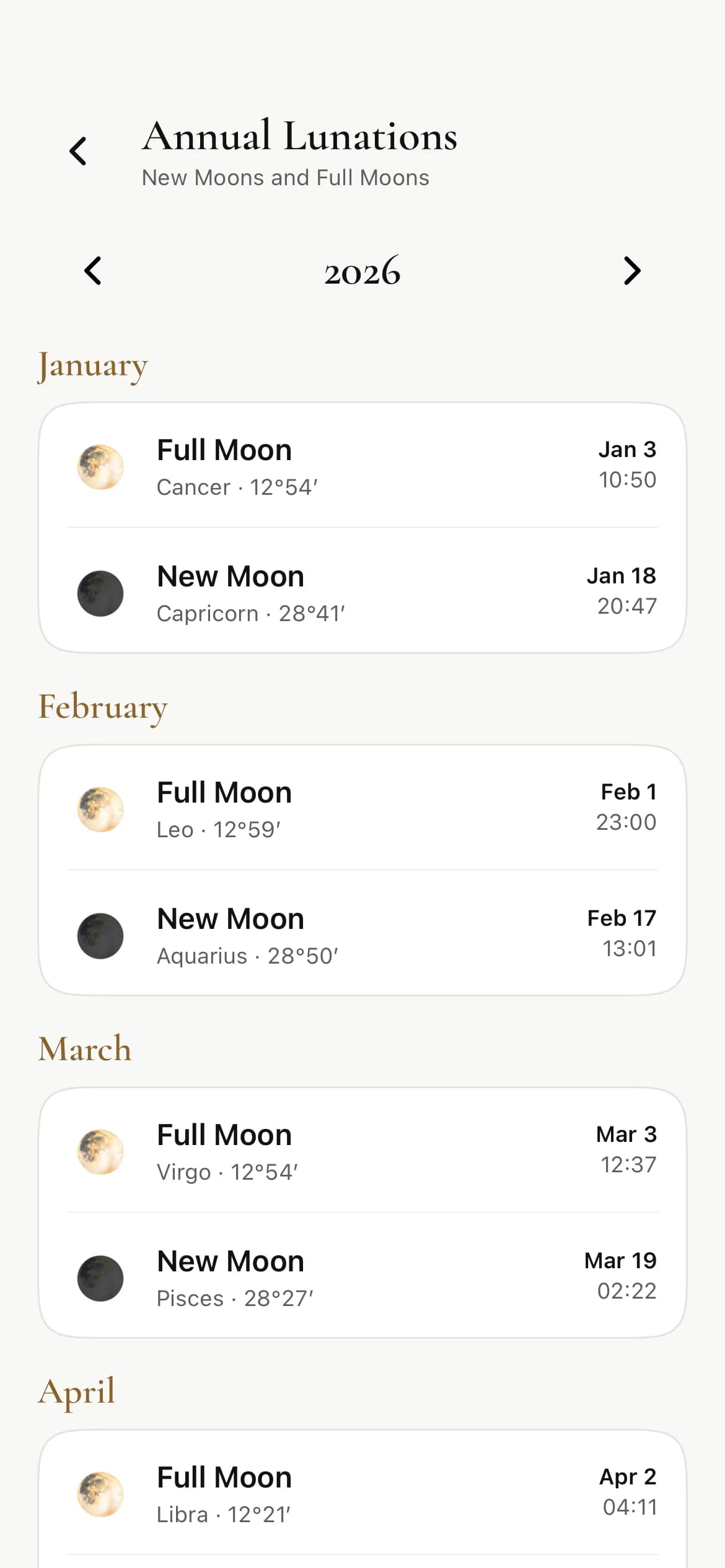
Annual Lunations Table
Every New Moon and Full Moon of the year, with its sign, degree, date, and local time.
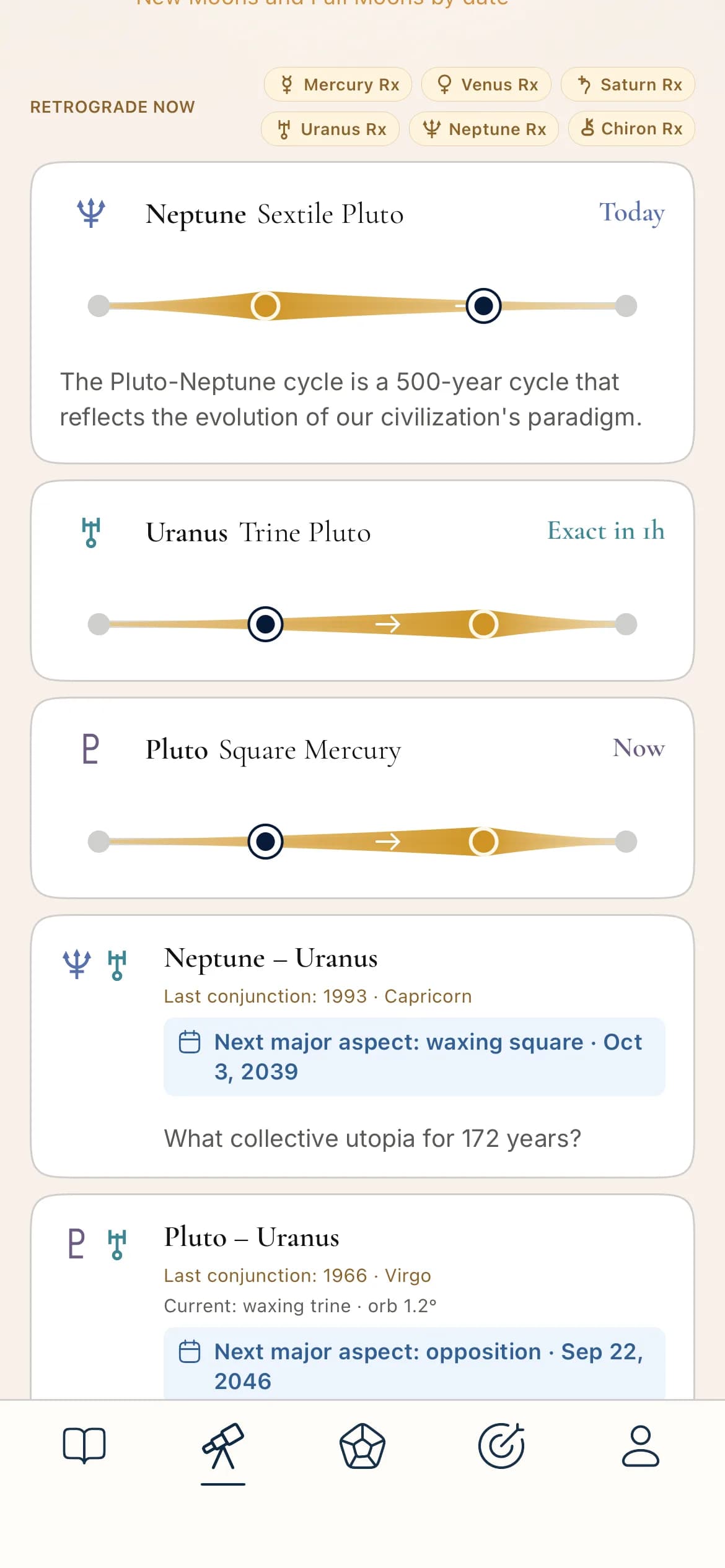
Retrograde now
A row of chips naming every planet that is retrograde today.
Slow-planet cycles
Timelines for outer-planet aspects such as Neptune sextile Pluto. Some written readings need AstroLingo Plus.
Add your birth chart and the Personal side of Explore adds a transit chart, a transit timeline, and your solar return. Saved charts also open secondary progressions, synastry, and composite charts.
On the web
Next to the ephemeris table, the website has free calculators for the birth chart, transits, solar return, synastry, and composite chart. See all astrology tools.
How AstroLingo compares with other ephemeris tools.
Other ephemeris tools are print references, desktop software, or scientific databases. Here is how they line up on price, format, and coverage.
| Tool | Platforms | Price | Format | Coverage | Best for | Watch out for |
|---|---|---|---|---|---|---|
| AstroLingo | Web, iPhone, iPad, Android | Free (Plus is optional, for advanced lessons) | Monthly grid, one row per day. City and daily time on the web. | Sun–Pluto, Chiron, Lilith, true North and South Node. Tropical. Rx, station, and sign-change markers. Sidereal time. | Learning to read an ephemeris, on any screen | Tropical only. No PDF export, declinations, or asteroids. |
| Astrodienst (astro.com) | Web, PDF | Free for private use | Yearly PDF tables, two months per page | Sun–Pluto, true and mean Node, Chiron, Lilith. Tropical and ready-made sidereal sets. 13000 BCE to 3999 CE. | A trusted printed reference for any era | Dense glyph tables that are hard to read on a phone |
| Astro-Seek | Web, PDF | Free | Monthly online tables with PDF download | Switches for tropical, sidereal, draconic, and heliocentric positions | Switching zodiacs and coordinate systems quickly | Many options on one page can overwhelm a beginner |
| Café Astrology | Web, PDF | Free | Monthly tables for midnight Eastern Time | Sun–Pluto and the Node, with Chiron and Lilith in the daily tables. Rx and D markers, ingress and station lists, void-of-course Moon. | A friendly first look at planetary motion | Eastern Time only. Yearly pages cover 2005–2030. |
| iPhemeris | iPhone, iPad | US$34.99, plus paid add-ons | Monthly tables of longitude, declination, and latitude | Sun–Pluto, true or mean Node, Lilith, Chiron, main asteroids. Tropical or sidereal with 17 ayanamsas. 1700–2100 base range. | Professional ephemeris tables on iOS | Paid, and not available on Android |
| Time Nomad | iPhone, iPad, Vision Pro | US$8.99, plus add-ons | An animated chart you scroll through time | Tropical and sidereal. Retrograde calculator and upcoming sign changes. | Watching the sky move | No ephemeris table |
| Astro Gold | iOS, Android, macOS, Windows | iOS: free, or Gold from US$7.99/month. Android: US$24.99. macOS: US$249.99. | Ephemeris listing and graphic ephemeris in the macOS app | Tropical and 9 sidereal zodiacs on macOS. The mobile apps list stations, eclipses, and ingresses. | Serious chart work across devices | No graphic ephemeris in the mobile apps |
| The American Ephemeris | Printed book | Paid book, price varies by retailer | Daily midnight positions for a whole century | Sun–Pluto plus Chiron and the main asteroids. Tropical. Editions for 2000–2100 and 1950–2050. | An offline desk reference | Small print, heavy, and not interactive |
| Solar Fire X | Windows, macOS | US$360 | Graphic ephemeris inside a full astrology suite | Professional chart, research, and timing tools | Professional astrologers | Expensive and complex for a beginner |
| NASA JPL Horizons | Web, API | Free | Custom query tables | Astronomical coordinates (RA/Dec, ecliptic longitude in degrees) from 9999 BC to AD 9999. No zodiac signs or astrological points. | Checking positions against the scientific source | You convert degrees to signs and spot retrogrades yourself |
Prices and features were checked on November 7, 2026, on each tool's site or app listing. Prices change, so confirm before you buy.
Which ephemeris should you use?
- Learning, on any screen
- AstroLingo, free on the web, iPhone, and Android.
- Printing, or looking up historical dates
- Astrodienst PDFs, or The American Ephemeris as a book.
- Sidereal or Vedic work
- Astro-Seek or iPhemeris. Astrodienst also publishes sidereal sets.
- Declinations and asteroids
- iPhemeris, Astro Gold for macOS, or Solar Fire X.
- Checking positions against astronomy data
- NASA JPL Horizons.
Not sure what the glyphs mean yet?
An ephemeris assumes you already know the planet and sign glyphs and what a retrograde is. AstroLingo teaches those first, with short lessons and chart practice. Start with the free astrology course or browse the top resources to learn astrology.
Ephemeris questions
What is an ephemeris calculator?
An ephemeris calculator lists where the Sun, Moon, and planets are on each day, by zodiac sign and degree. It also shows when a planet turns retrograde, stations, or changes sign. Astrologers use it to time transits, find returns, and look up planet positions for any date.
Is the AstroLingo ephemeris really free?
Yes. The web ephemeris table needs no account or birth profile. In the app, the Monthly Ephemeris, the Annual Lunations Table, and the current sky chart have no paywall. AstroLingo Plus is optional and unlocks the deeper lesson path and some written interpretations.
Does it work on Android?
Yes. AstroLingo is on Google Play and the App Store, and the Monthly Ephemeris is in the Explore tab on both. You can also open the ephemeris table in any browser.
Is the AstroLingo ephemeris tropical or sidereal?
It uses the tropical zodiac. For sidereal positions, Astrodienst, Astro-Seek, and iPhemeris all offer sidereal ephemerides.
Which planets and points can I show?
The Sun, Moon, Mercury, Venus, Mars, Jupiter, and Saturn appear by default. You can add Uranus, Neptune, Pluto, Lilith, Chiron, and the true North and South Nodes.
How accurate are the positions?
Positions come from the Swiss Ephemeris through FreeAstroAPI and are shown to the arcminute. The Swiss Ephemeris is the engine behind Astrodienst and many professional astrology programs.
Can I choose the time of day or look up other months?
Yes. The web table lets you pick a city and a daily time, and every version moves backward or forward one month at a time.